The true solutions
(x,y) = (1, 0), (-1/2, √3/2) and (-1/2, -√3/2)
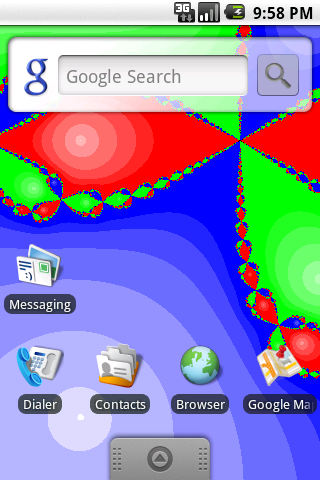
are shown at the centers of the three white circles,
and the initial points which converge to the true solutions
are colored with red, green, and blue, respectively.
The whiter color means the rapid convergence to the solution.
As you see, the boundaries of three regions have very complex
structures.
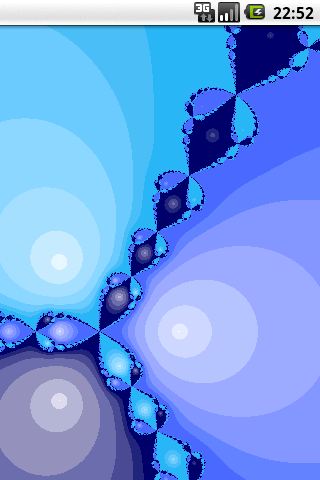
By expanding the area, you will notice that the boundaries have
fractal structures,
and its complexity does not disappear no matter how largely
you expand the field.
Generally, the set of the initial conditions which converge to
an attractor is called its basin,
and the boundary with fractal structures as shown in the above simulator
is called fractal basin boundary.
Though the above model is a mathematical one,
it is known that the fractal basin boundary can be observed
even in the real physical system.
When the system has several stable states,
and the initial condition is placed nearby the fractal basin boundary,
it means that one needs the information about the initial condition with
the infinitely high precision to predict the final state of the system.
Note that this fact has given a large impact on physicists.
Moreover, when the attractors are chaotic,
it is known that the basins can be intermingled almost everywhere
in the phase space.
Such basins are called riddled basin,
and you can also simulate it in "Riddled Basin" simulator.
By the way, there also exists "periodic orbits" and "chaotic orbits"
which do not converge to the true solutions on the basin boundaries
in this simulator.
However, they are not attractors and their Lebesgue measures are 0,
thus you can not observe them no matter how largely you expand the field.
|